


Software applications are at the heart of our digital world. From mobile apps that simplify everyday tasks to complex enterprise software that drives business efficiency, understanding their components is essential. But have you ever thought about how these applications are classified?
Classifying software application components not only enhances your knowledge but also aids in building better systems. Whether you’re a developer, project manager, or an enthusiast looking to deepen your understanding, knowing how to classify these components can make all the difference.
So what does it mean to classify software application components? And why should you care? Let’s dive into this exciting realm and uncover the intricacies behind classification while exploring its importance in today’s tech-driven landscape.
- What Are the Classifications of Software Components?
- The Importance of Classifying Software Applications Components
- Types of Software Applications Components
- How to Classify Software Applications Components
- Real-World Examples of Classified Software Applications Components
- Advantages and Disadvantages of Classifying Software Applications Components
- Conclusion
- FAQs
What Are the Classifications of Software Components?
Software components can be classified in various ways, each serving a specific purpose. One common classification is based on their functionality. This includes user interface components, business logic modules, and data access layers.
Another approach categorizes them by type: application software versus system software. Application software focuses on end-user tasks, while system software manages hardware resources.
Some classifications delve into architecture styles—monolithic versus microservices architectures—shaping how components interact within an application.
You may also encounter distinctions between proprietary and open-source components. Proprietary solutions often come with licensing fees but might offer enhanced support and features. Open-source options provide flexibility and community-driven development at no initial cost.
Classifying by deployment models—cloud-based or on-premises—is becoming increasingly relevant as organizations shift towards digital transformation strategies. Each classification serves to simplify understanding the role of different software pieces in a larger ecosystem.
The Importance of Classifying Software Applications Components
Classifying software application components is essential for effective management and development. It offers a structured approach to understanding the various elements that make up an application.
When developers categorize components, they can identify dependencies and interactions more easily. This clarity helps in troubleshooting issues and enhancing performance.
Moreover, classification streamlines the development process. Teams can work on specific parts simultaneously without confusion over overlapping functionalities.
For project managers, having classified components aids in resource allocation and risk assessment. They can prioritize tasks based on component complexity or significance.
Additionally, it fosters better communication among team members. A shared vocabulary around classifications minimizes misunderstandings during discussions about features or updates.
Proper classification contributes significantly to maintaining software quality over time while facilitating smoother upgrades and maintenance cycles.
Types of Software Applications Components
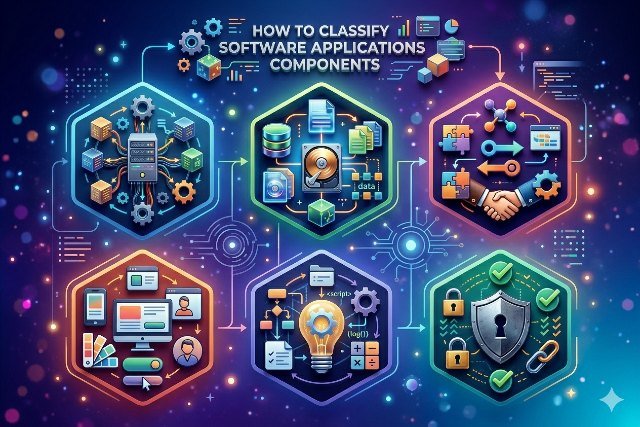
Software applications consist of various components, each playing a vital role in functionality. These components can be broadly categorized into two main types: front-end and back-end.
Front-end components refer to everything users interact with directly. This includes user interfaces, graphics, and design elements that shape the overall user experience. It’s all about making software visually appealing and easy to navigate.
Back-end components operate behind the scenes. They handle data processing, server interactions, and database management. Without these elements working smoothly, front-end features would struggle to deliver the intended experience.
Additionally, there are middleware pieces that facilitate communication between front-end and back-end systems. These act as intermediaries, ensuring seamless data flow and integration among different services.
Understanding these diverse types enables developers to build more efficient applications tailored to specific needs.
How to Classify Software Applications Components
To classify software application components, start by identifying the main functionalities they provide. This can include user interfaces, databases, and APIs.
Once you outline these functions, categorize them based on their roles within the system architecture. For example, distinguish between front-end and back-end components to clarify how they interact with users and each other.
Consider using industry standards like UML diagrams or service-oriented architecture frameworks. These tools help visualize relationships among components in a structured manner.
Another approach involves assessing dependency levels between different modules. Components that rely heavily on one another may belong to the same category due to their interconnected nature.
Don’t forget about performance metrics when classifying; understanding resource consumption aids in effective categorization as well. Each component’s scalability and reliability are critical factors worth evaluating too.
Real-World Examples of Classified Software Applications Components
Consider a popular mobile banking app. Its components include user interfaces for seamless navigation, backend servers for data processing, and databases to store user information securely. Each part plays a distinct role in delivering an efficient service.
Take an e-commerce platform as another example. The front-end interface allows users to browse products effortlessly, while the payment gateway handles transactions safely. Additionally, inventory management systems ensure stock levels are always accurate.
In project management software, classified components range from scheduling tools that help teams stay on track to reporting features that analyze performance metrics. Each segment contributes uniquely to the application’s functionality.
Think about gaming applications where graphics rendering engines work alongside sound design modules and network services for online play. This classification enhances both gameplay experience and technical efficiency across various platforms.
Advantages and Disadvantages of Classifying Software Applications Components
Classifying software application components offers several advantages. It enhances organization, making it easier for developers to manage and maintain code. A well-structured classification can improve collaboration among team members by providing a common language.
However, there are downsides too. Rigid classifications may limit flexibility in development processes. If teams adhere too strictly to categories, they might overlook innovative solutions that don’t fit predefined boxes.
Another downside is the potential for increased complexity. As more layers of classification are added, understanding the overall architecture can become challenging.
Balancing these benefits and drawbacks is crucial when deciding on a classification approach for software applications. By weighing both sides carefully, teams can find an effective strategy that suits their specific needs without losing sight of creativity or efficiency.
Conclusion
Classifying software application components is essential for clarity and efficiency. It helps developers understand the structure of their projects better.
Recognizing different classifications can streamline development processes. It allows teams to focus on specific areas, enhancing productivity.
Moreover, a well-structured classification system fosters better communication among team members. Everyone understands their roles and responsibilities more clearly.
As technology evolves, so do the methods of classifying these components. Staying updated with trends ensures that your approach remains relevant and effective.
Understanding how to classify software applications components opens doors to innovation and improved functionality in projects.
FAQs
What is a software application component?
A software application component refers to an individual part of a software system that performs specific functions. These components can be libraries, modules, or services that work together to create a complete software application.
Why is it important to classify software applications components?
Classifying these components helps in understanding their roles and interactions within the entire system. It aids developers in managing complexity, improving maintainability, and enhancing communication among team members.
How do you classify software application components?
Classification typically involves categorizing components based on functionality, architecture style (like monolithic vs microservices), or technology stack. This structured approach allows for clearer design and implementation strategies.
Can you give examples of different types of software application components?
Sure! Examples include user interface elements (like buttons or forms), database access layers, APIs for external integrations, background processing tasks, and even front-end frameworks such as React or Angular.
Are there any disadvantages to classifying software applications components?
One potential drawback could be the oversimplification of complex systems. Rigid classification may lead to confusion if not updated regularly with evolving technologies and practices. Balancing structure with flexibility is key.
How often should I review my classifications of software applications components?
Regular reviews are recommended—ideally at each major update cycle or when introducing new technologies into your project. Keeping up-to-date ensures that your classifications remain relevant and useful as the project evolves.